Workflow Automation Services Australia
Stacked Digital provides workflow automation services for Australian service businesses that want CRM, calendar, email, invoicing, SMS and follow-up tasks connected into one reliable system. We map the manual steps, build the automations, test the handoffs and connect call capture from AI receptionists and follow-up tasks from AI voice agents into your operating workflow. Start with a discovery call to identify the first workflows to automate.
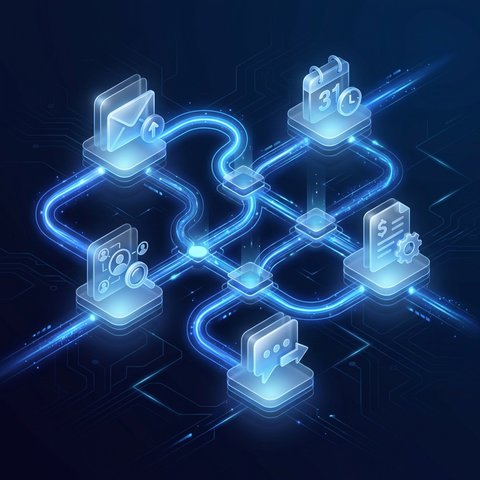
Why Is Manual Admin Holding Your Business Back?
Every hour you spend on admin is an hour you are not spending on clients, sales, or growth. And the worst part is most of it can be automated.
Workflow automation services plan, build and maintain the rules that move work between your CRM, calendar, email, invoicing and communication tools. A typical project starts by mapping the manual process, then connecting triggers, actions, testing, alerts and reporting so routine admin runs automatically while your team keeps control of exceptions.
You finish a job and then spend 30 minutes updating your CRM, sending the follow-up email, creating the invoice, and logging the notes. Then you do it again tomorrow. And the day after. Your tools do not talk to each other, so you are the messenger between them.
How We Automate Your Workflows
We map your processes, connect your tools, and build automations that run without you touching them.
Workflow automation services are most useful when a clear business event should start the next step without someone copying details between tools. For example, a new enquiry can create the CRM record, assign an owner, send the right follow-up and notify the team. We first agree on the trigger, the data that must carry across, the exception that stays with a person and how the result is checked. If your first bottleneck is unanswered calls, start with an AI receptionist; if web enquiries need a faster first response, pair the workflow with an AI chatbot. That keeps automation useful rather than adding another disconnected tool.
When comparing workflow automation services, begin with one process that can be checked end to end. Name the event that starts it, the information that must reach the next system and the person who owns exceptions. Agree where the completed task or alert will be visible before adding further steps. This gives a service business a practical way to judge whether an automation will reduce handoffs rather than hide them. An AI receptionist can provide a consistent inbound trigger, while an AI chatbot can capture website enquiries for the same documented workflow.
Process Audit
We map every manual, repetitive task in your business. You tell us what eats your time and we identify what can be automated.
System Design
We design the automation logic, choose the right connections, and plan the data flow between your tools. You approve before we build.
Build and Test
We build the automation, test it thoroughly with real data, and handle edge cases. Error handling and monitoring are built in from day one.
Launch and Support
We launch the automation into your live environment, monitor it for the first two weeks, and provide ongoing support to keep it running smoothly.
What Business Processes Can Be Automated?
These are the workflows that save our clients the most time. If you are doing it manually and it follows a pattern, we can automate it.
- Workflow Automation
- The process of connecting business software tools so that tasks, data transfers, and communications happen automatically based on triggers. For example, a new lead in your CRM automatically receives a welcome email, gets assigned to a team member, and creates a task for follow-up.
- Business Process Automation
- Replacing manual, repetitive business tasks with automated sequences. Common examples include follow-up email sequences, invoice generation after job completion, appointment reminder SMS, review request emails, and lead routing to the right team member.
Follow-Up Sequences
Automated email and SMS follow-ups after enquiries, quotes, appointments, and completed jobs. Timed perfectly so no lead goes cold.
Client Onboarding
New client signs up and the system creates their CRM record, sends the welcome pack, schedules the kickoff, and notifies your team. All automatic.
Quoting and Proposals
Enquiry comes in, system generates a branded quote from your template, sends it to the customer, and follows up automatically if they have not responded in 48 hours.
Invoice Generation
Job completed? Invoice generated and sent automatically. Payment received? CRM updated, receipt sent, and the next workflow triggers. No manual paperwork.
Payment Chasing
Overdue invoice reminders sent at 7, 14, and 30 days automatically. Escalation sequences for repeat offenders. Statements generated and sent without you lifting a finger.
Email Inbox Management
Inbound emails automatically sorted, tagged, and routed. Enquiries go to sales, support tickets go to the right team member, spam gets filtered. No more morning inbox triage.
Appointment Reminders
Automated SMS and email reminders at 24 hours and 1 hour before appointments. Reduces no-shows by up to 50% with zero manual effort.
Reporting and Dashboards
Weekly and monthly reports generated automatically from your CRM and business data. Delivered to your inbox or a live dashboard. No spreadsheet wrangling.
Review Requests
After a job is completed, automatically request a Google review at the perfect time. Follow up once if they have not left one. Simple and effective.
Lead Routing
New enquiry comes in and the system instantly assigns it to the right team member based on service type, location, or availability. No manual sorting.
What Does Business Automation Look Like Before and After?
This is what changes when your business runs on systems instead of memory and manual effort.
Before Automation
- Manually copying data between CRM, email, and invoicing
- Quotes typed up manually and sent hours or days late
- Follow-ups sent late or not at all
- Overdue invoices chased manually or forgotten entirely
- Email inbox overflowing with unsorted enquiries and spam
- Reporting done in spreadsheets at the end of the month
After Automation
- Data flows automatically between all connected tools
- Quotes generated from templates and sent within minutes
- Follow-ups sent at exactly the right time, every time
- Overdue invoices chased automatically at 7, 14, and 30 days
- Inbox sorted, tagged, and routed before you open it
- Live dashboards and automated weekly reports in your inbox
Get Your Time Back
Book a free discovery call and we will identify the top 3 workflows costing you the most time and show you exactly how to automate them.
Book a Free Discovery CallAutomations Built for Your Industry
Every business runs differently. Here is what automation looks like in practice for the industries we serve.
Medical and Dental
Patient intake forms that auto-create records, appointment reminders that reduce no-shows, post-visit follow-ups, review requests, and referral tracking. All running without your admin team lifting a finger. See workflow automation for allied health practices.
Trades and Home Services
Quote follow-ups that send themselves, job completion triggers that generate invoices and request reviews, lead assignment based on service area, and weekly job reports delivered to your inbox every Monday. See workflow automation for trades and service businesses.
Professional Services
Client onboarding workflows that send contracts, schedule kickoffs, and create project records. Proposal follow-ups, milestone notifications, and end-of-engagement review requests. All automated. See workflow automation for Australian law firms.
Common Questions
Automate the Busywork. Focus on What Makes You Money.
Book a free discovery call and we will map out the workflows costing you the most time and build automations that run your admin on autopilot.
Book a Free Discovery Call